 Habenna
A habit tracker with no streak counter
Miss a day.
Keep your progress.
Grace days, four-of-seven weekly goals, and not one notification you didn't ask for. Everything you did still counts. Nothing resets.


Free, with unlimited habits. One optional upgrade: a subscription or one payment for good. No ads.
Three things habit apps get wrong
A broken streak erases the work
Nine weeks of effort, one missed Tuesday, and the counter reads zero. The days you showed up still happened. The app stops showing them.
You cannot start where you are
Chains only count from day one, so picking a habit back up means pretending the last two months never happened.
The app nags
Reminders nobody set, arriving at hours nobody chose, until the habit tracker is the thing you want to quit.
This week, at a glance
A habit is a rate, not a chain
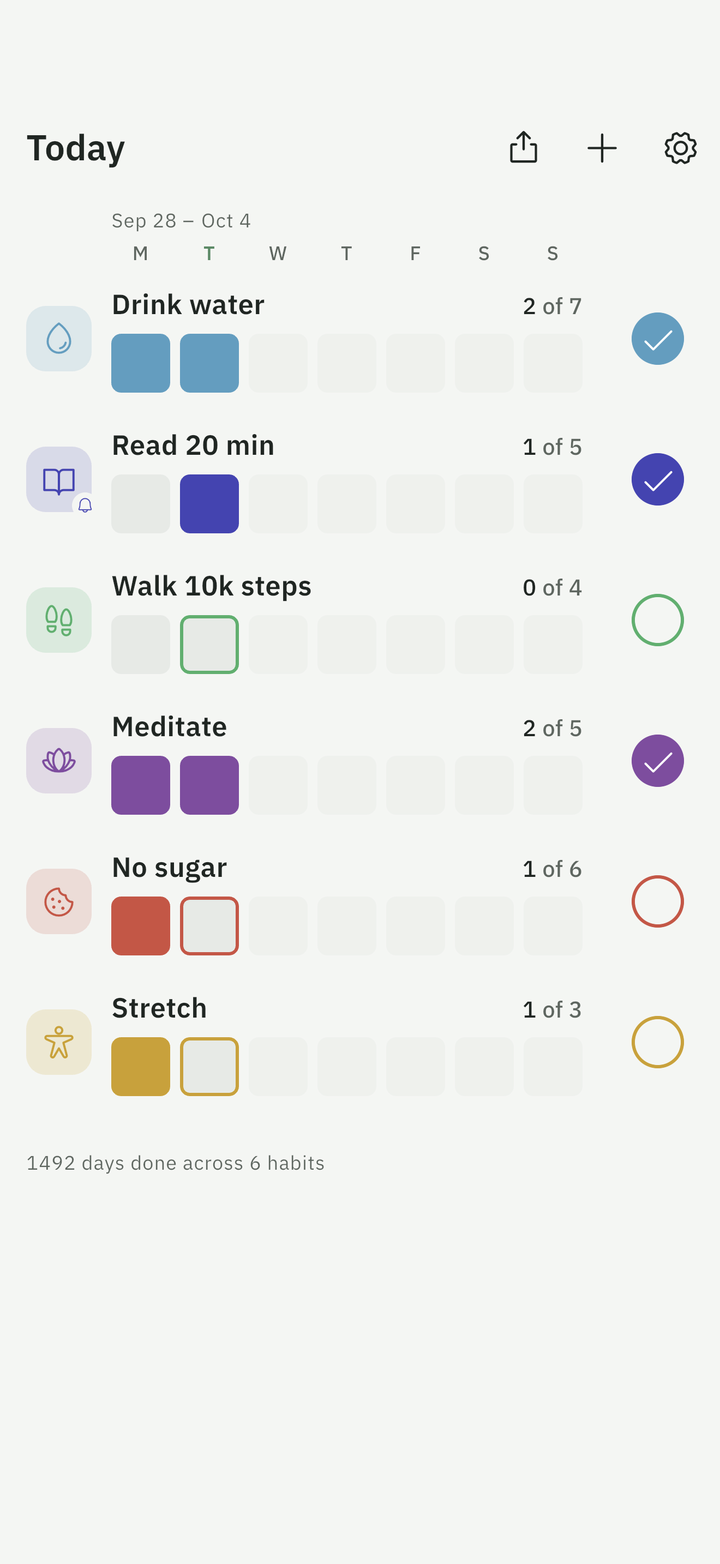
Every habit shows the week as seven slots and a plain count: 3 of 7, 2 of 4. Set how many days a week it should happen. Four of seven is a win, and the other three are yours.
Tap today's slot to mark it done. Tap the row to see the whole year.
Milestones count days, not chains: 10 days done, 4 weeks on track, a quiet welcome back after a break. None of them can be lost. Share your week or a milestone as a card, if you like.
Grace days
Life is irregular. Give a habit some slack.
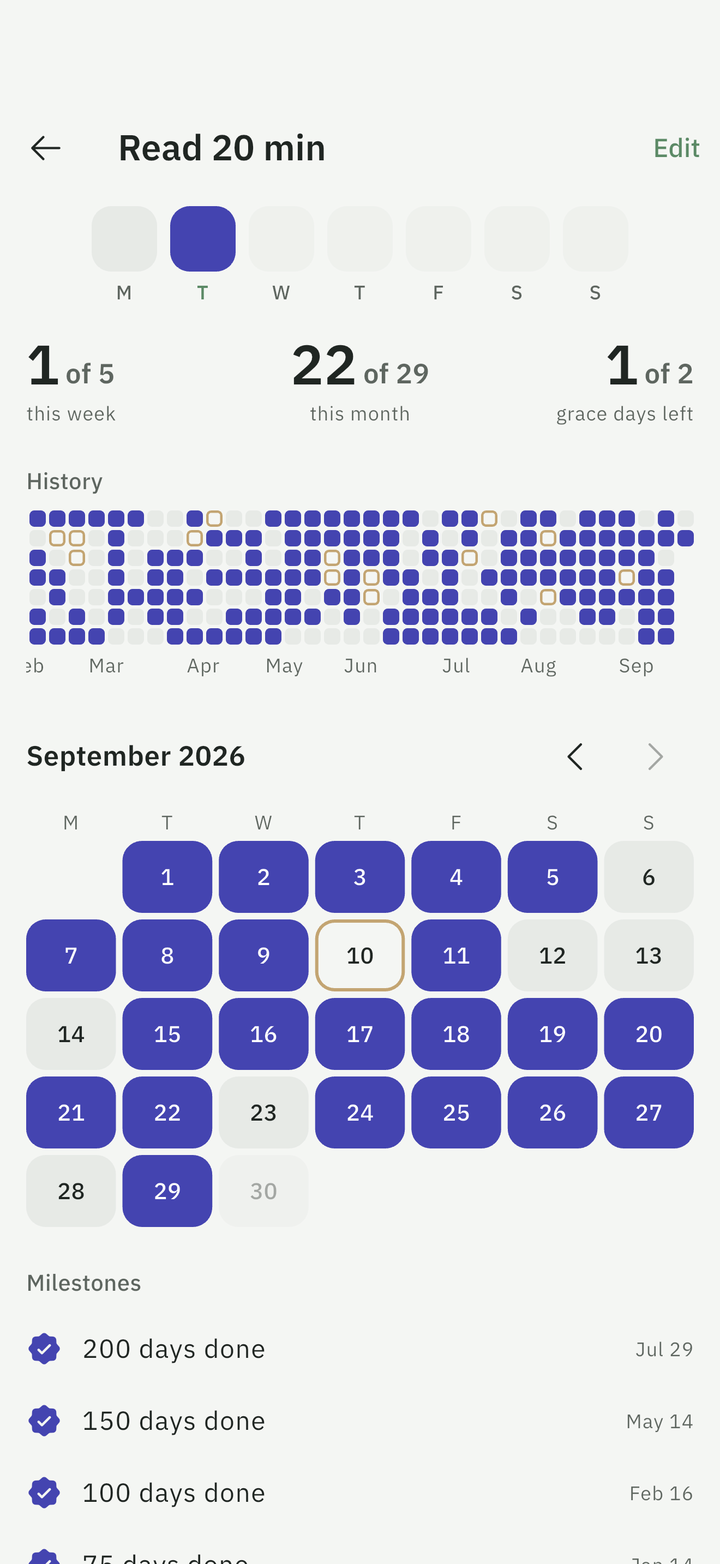
Each habit gets a monthly allowance of grace days. When a week ends short of its goal, the missing days are taken from that allowance and the record stays intact. A covered day shows as an outlined slot, never as red, never as a reset.
Forgot to tap yesterday? Tap the day on the calendar. Nothing is locked.
Silence by default
Not one notification you didn't ask for
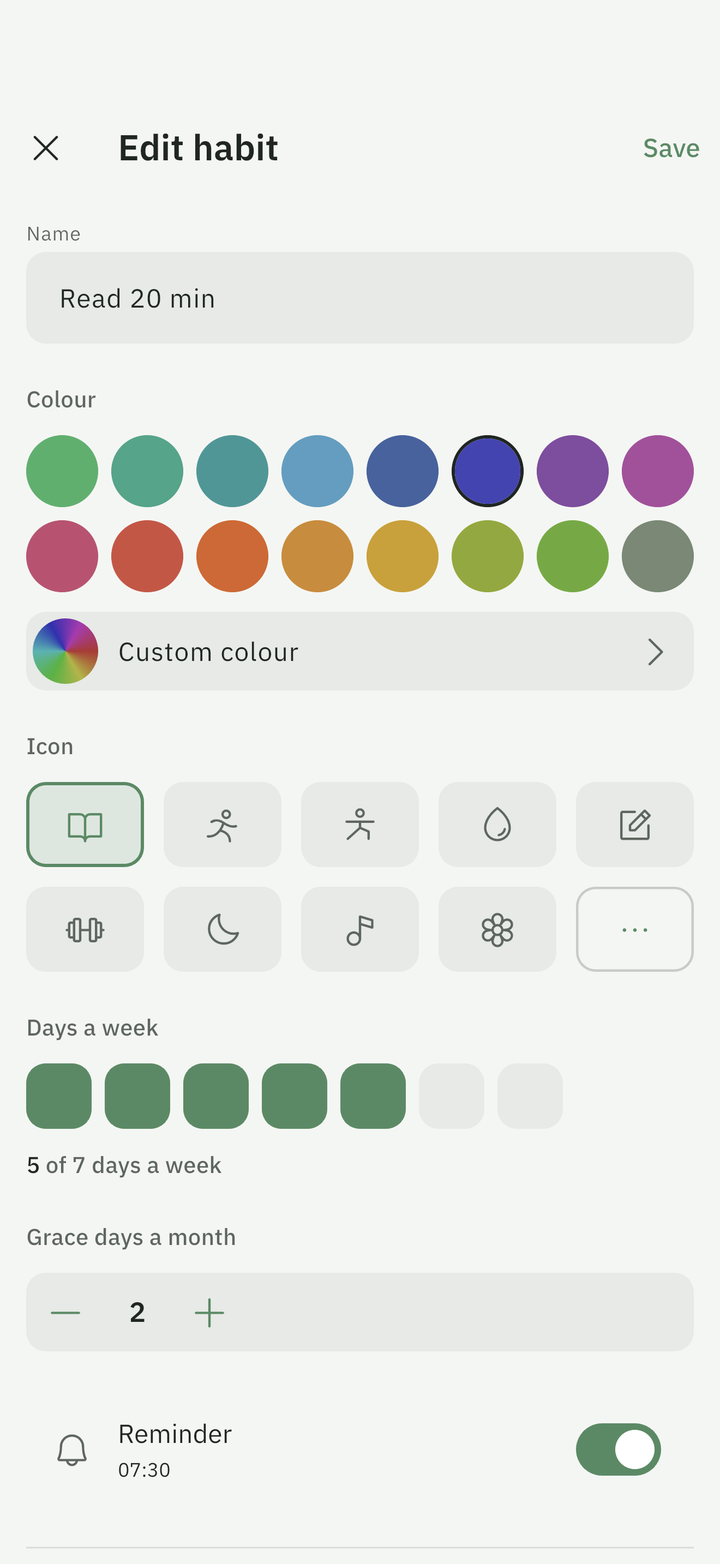
Habenna sends no push notifications at all. Want a reminder for one habit? Turn it on for that habit, at the time you choose. Nothing else ever pings you.
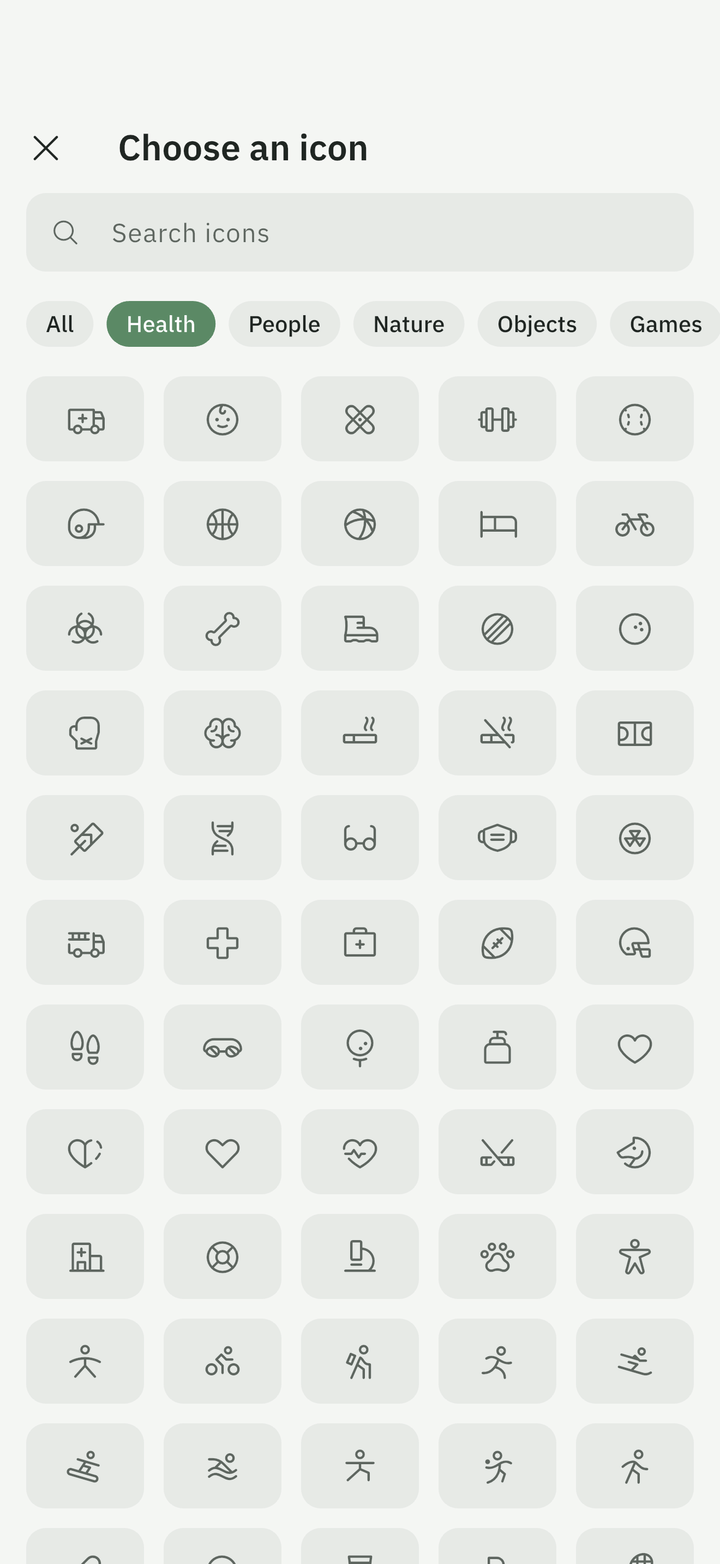
Any colour in Habenna's tone, any of 1,100 icons, and a home-screen widget that shows this week for up to four habits.
Phone and tablet
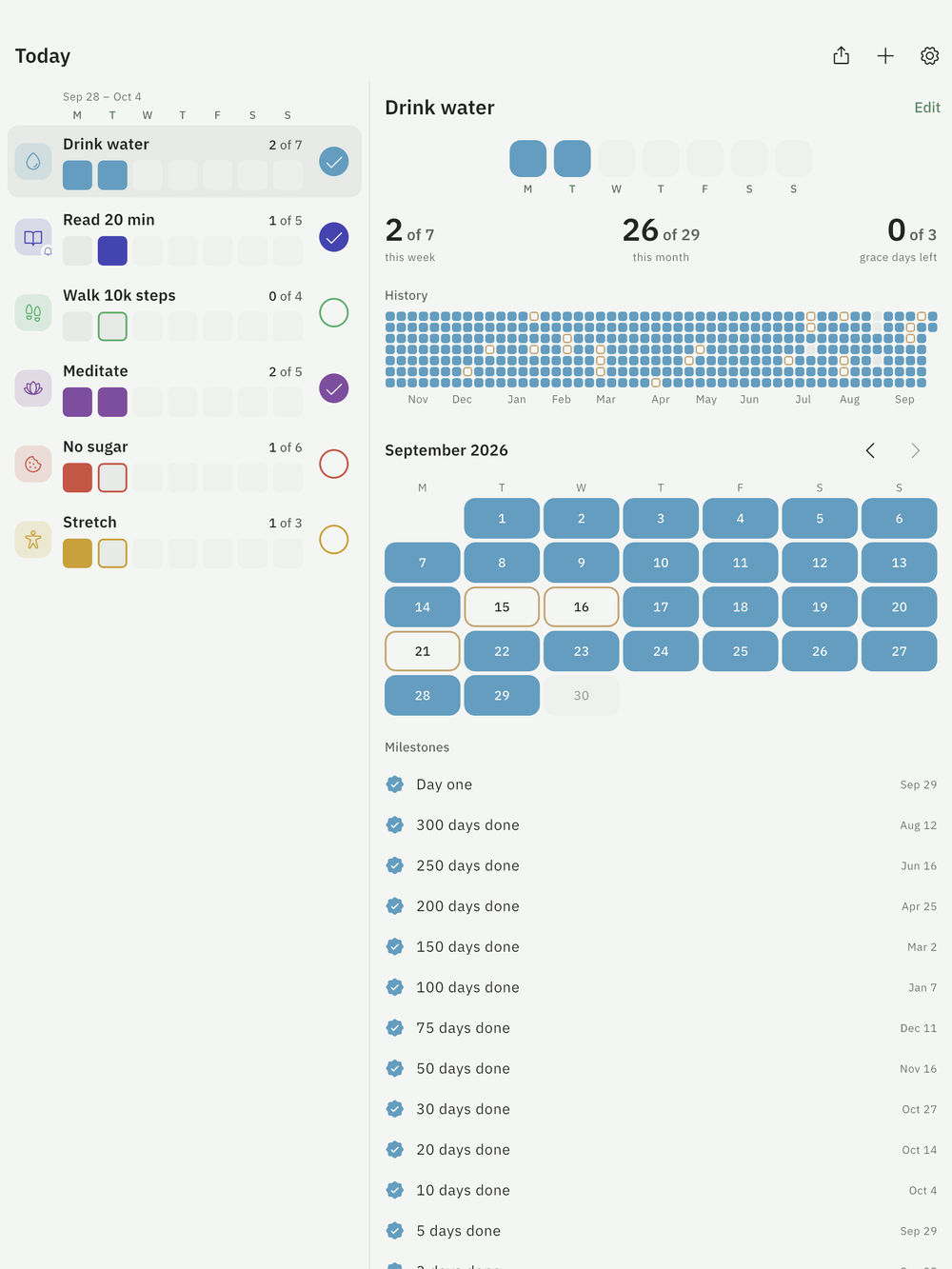
Your habits and the whole year, side by side
On an iPad, an Android tablet or an unfolded foldable, Habenna uses the room: the list on one side, the habit you tapped on the other, with its week, its month and its history.
What's free, and what the unlock adds
Free, forever
Everything the app is about. No cap, no trial, no ads.
- Unlimited habits
- Week bar, year heatmap, month calendar
- Grace days and weekly goals
- Milestones and share cards
- A home-screen widget on both platforms
- Backup file and CSV export, any time
- Phone and tablet, in ten languages
- No account to create
Unlock everything
A subscription or one payment for good. Your choice, in the store. Adds, on top of everything free:
- Automatic backup to your Apple or Google account
- Every widget size, and the lock screen on iPhone and iPad
- Sync across your devices
Prices are shown in the App Store and Google Play before you buy. Cancel a plan any time in your store account. No countdown, no discount that expires.
Questions
Why is there no streak counter?
Streaks punish a single missed day by resetting everything. Habenna shows a rate instead: how often you did the thing, over a week and over a month.
What are grace days?
A monthly allowance. When a week ends short of its goal, the missing days are taken from it. Once it is used up, the shortfall simply shows in your rate. Nothing resets.
How does the weekly goal work?
Pick how many days a week a habit should happen, one to seven. Weeks run Monday to Sunday. Four of seven is a win; the other three are yours.
Where is my data?
On your device, and in an encrypted cloud copy in the EU under an anonymous ID. There is no account, no email, no password. Details in the privacy policy.
How do I move to a new phone?
For free: save a backup file in Settings and open it on the new phone. With the upgrade, it happens by itself: sign in with Apple or Google on the new phone and everything is back. Restoring a backup that already exists is always free.
What happens if I stop paying?
Nothing you recorded is deleted. The paid extras stop; a backup you already turned on stays in your account and can still be restored.
Does it work on a tablet?
Yes, on iPad and on Android tablets and foldables. On a wide screen your habits and the one you open sit side by side. There is no desktop or web version. To see the same habits on a phone and a tablet, turn on sync, which is part of the upgrade.
Will Habenna nag me?
No. Reminders are off until you switch one on for a habit, and there are no other notifications.
When does it launch?
It is in the final stretch: the App Store and Google Play links above work from launch day.
Keep what you did. Start where you are.